게임 플레이
Powered by EmulatorJS · Arcade
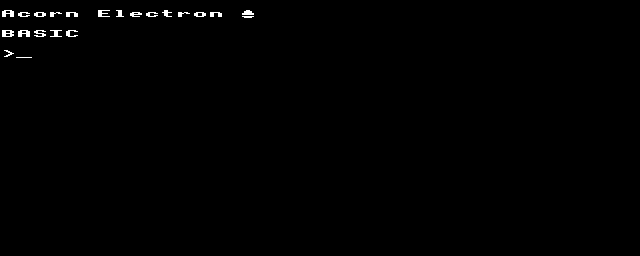
43년 전에 출판된 컴퓨터: Acorn Electron (c) 1983 Acorn Computer, Limited. Acorn Electron은 BBC Micro 교육용/가정용 컴퓨터의 저가 버전이었습니다. - 기술 - CPU: MOS 기술 6502A 클럭 속도: 가변적입니다. CPU는 ROM에 액세스할 때 2MHz로 실행되고, 비디오 디스플레이 회로와 메모리 액세스를 공유하므로 RAM에 액세스할 때 1MHz 또는 0.5897MHz(그래픽 모드에 따라 다름)로 실행됩니다. Electron은 다양한 '공용 소프트웨어'에 대해 철저한 2MHz BBC Micro에 대한 속도 테스트를 통해 측정한 후 1.79MHz에서 작동하는 것으로 널리 잘못 인용되었습니다. 글루 로직: Ferranti Semiconductor Custom ULA RAM: 32KB ROM: 32KB 텍스트 모드: 20×32, 40×25, 40×32, 80×25, 80×32(모든 텍스트 출력은 그래픽 모드에서 소프트웨어로 생성됨) 그래픽 모드: 160×256(4색 또는 16색), 320×256(2색 또는 4색), 640×256(2색), 320×200(2색 - 8픽셀 라인마다 2개의 빈 수평선이 있는 간격 디스플레이), 640×200(2색 - 간격 디스플레이) 색상: 8가지 색상(RGB 원색의 TTL 조합) + 동일한 색상의 8가지 깜박이는 버전 사운드: 사운드 채널 1개, 7옥타브; 내장 스피커. 노이즈 채널의 소프트웨어 에뮬레이션 지원 크기: 16×34×6.5cm I/O 포트: 확장 포트, 테이프 레코더 커넥터(7핀 원형 DIN 커넥터를 통해 데이터 인코딩을 위한 캔자스 시티 표준의 1200보드 CUTS 변형), 공중 TV 커넥터(RF 변조기), 복합 비디오 및 RGB 모니터 출력 전원 공급 장치: 외부 PSU, 18V AC - 퀴즈 -
If you are exploring by feel rather than by title, jump from the tags above into the matching genre rooms, or return to the Arcade hall for the full wall.
Open Play on this page to start Acorn Electron. Keyboard, USB/Bluetooth pads, and the on-screen touch gamepad all work inside the emulator bar. Save states and fullscreen live on that same bar so you can pause mid-session and resume later.
Genre tags on Classic Arcade Games: Arcade.
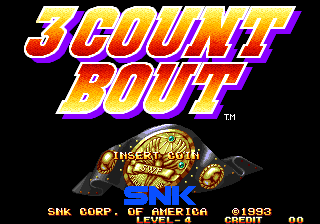
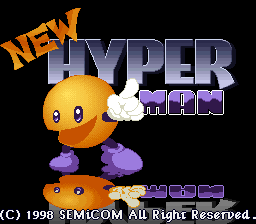
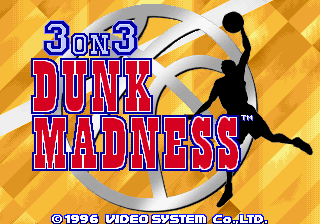
Nearby cabinets you may also open from this hall (each on its own play page):Retro Dance Mat (110 song Super StepMania + 9-in-1 games) (PAL), 39 in 1 MAME bootleg (GNO-V000), 3 Count Bout / Fire Suplex (NGM-043 ~ NGH-043), New HyperMan (3-in-1 with Cookie & Bibi & HyperMan) (set 1), 3 On 3 Dunk Madness, Forty-Love (World), 4 Fun in 1, Mahjong 4P Shimasho (Japan), 64th. Street - A Detective Story (World), All American Football (rev E), ABC 80, ABC 800 C/HR
Retro Dance Mat (110 song Super StepMania + 9-in-1 games) (PAL) · 39 in 1 MAME bootleg (GNO-V000) · 3 Count Bout / Fire Suplex (NGM-043 ~ NGH-043) · New HyperMan (3-in-1 with Cookie & Bibi & HyperMan) (set 1) · 3 On 3 Dunk Madness · Forty-Love (World) · 4 Fun in 1 · Mahjong 4P Shimasho (Japan) · 64th. Street - A Detective Story (World) · All American Football (rev E) · ABC 80 · ABC 800 C/HR
Yes. Classic Arcade Games hosts Acorn Electron as a Arcade cabinet you can start on this page. The emulator loads in the browser; you do not need to install a separate app.
Arcade stick feel: Arrow keys for the joystick, X/Z (and nearby keys) for buttons, Enter=Start. USB / Bluetooth pads map cleanly; six-button fighters use the face-button cluster.
Our catalog tags Acorn Electron under Arcade. Open those genre rooms from the tags on this page to find more playable cabinets in the same feel.
아래 iframe 코드를 복사해 사이트에 이 게임을 임베드하세요.
<iframe src="https://ko.classicarcade.games/games/arcade/electron?embed=1" width="800" height="600" allowfullscreen allow="gamepad; autoplay; fullscreen"></iframe>