게임 플레이
Powered by EmulatorJS · Arcade
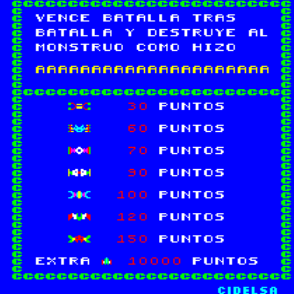
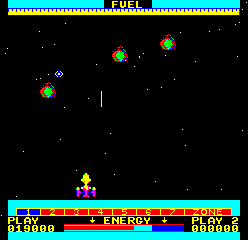
이 수직 슈팅 게임에서는 외계인 떼와 소행성이 화면을 가득 채웁니다. 플레이어는 양방향 조이스틱을 사용하여 탐색하고 레이저 온도 및 연료 게이지와 같은 자원을 관리하여 생존합니다. 적의 밀도가 압도적으로 높아지면 시간 왜곡 메커니즘을 활성화하면 모든 적의 속도가 느려지고 화면을 정리할 수 있는 중요한 창이 제공됩니다.
Player layout in our catalog: 2P alt.
If you are exploring by feel rather than by title, jump from the tags above into the matching genre rooms, or return to the Arcade hall for the full wall.
Open Play on this page to start Cosmos. Keyboard, USB/Bluetooth pads, and the on-screen touch gamepad all work inside the emulator bar. Save states and fullscreen live on that same bar so you can pause mid-session and resume later.
Cosmos is filed in our catalog as a 1981 release.
Player layout on this cabinet: 2P alt.
Genre tags on Classic Arcade Games: Shooter.
Credit line lists Century Electronics as developer.
Nearby cabinets you may also open from this hall (each on its own play page):Dark Warrior, Space Fortress (CVS), Superbike, Video Eight Ball, Dazzler, Gold Bug, Heart Attack, Hunchback (set 1), Radar Zone, Wall Street, A. D. 2083, Altair
Dark Warrior · Space Fortress (CVS) · Superbike · A. D. 2083 · Altair · Ambush · Asteroids Deluxe (rev 3) · Asteroids (rev 4) · Astro Blaster (version 3) · Astro Fighter (set 1) · Battle of Atlantis (set 1) · Attack UFO
Dark Warrior · Space Fortress (CVS) · Superbike · Video Eight Ball · Dazzler · Gold Bug · Heart Attack · Hunchback (set 1) · Radar Zone · Wall Street
Century Electronics appears on this cabinet’s credit line. Browse more titles from the same studio on the developer shelf, or stay on this page and try the next cabinets in the same hall.
Dark Warrior · Space Fortress (CVS) · Superbike · Video Eight Ball · Dazzler · Gold Bug · Heart Attack · Hunchback (set 1)
Yes. Classic Arcade Games hosts Cosmos as a Arcade cabinet you can start on this page. The emulator loads in the browser; you do not need to install a separate app.
Arcade stick feel: Arrow keys for the joystick, X/Z (and nearby keys) for buttons, Enter=Start. USB / Bluetooth pads map cleanly; six-button fighters use the face-button cluster.
Our catalog tags Cosmos under Shooter. Open those genre rooms from the tags on this page to find more playable cabinets in the same feel.
아래 iframe 코드를 복사해 사이트에 이 게임을 임베드하세요.
<iframe src="https://ko.classicarcade.games/games/arcade/cosmos?embed=1" width="800" height="600" allowfullscreen allow="gamepad; autoplay; fullscreen"></iframe>